

View upcoming and past invoices
- From the Dashboard, click Settings.
- Under Account Settings, click Subscription & Billing.
- Click on the Billing tab.
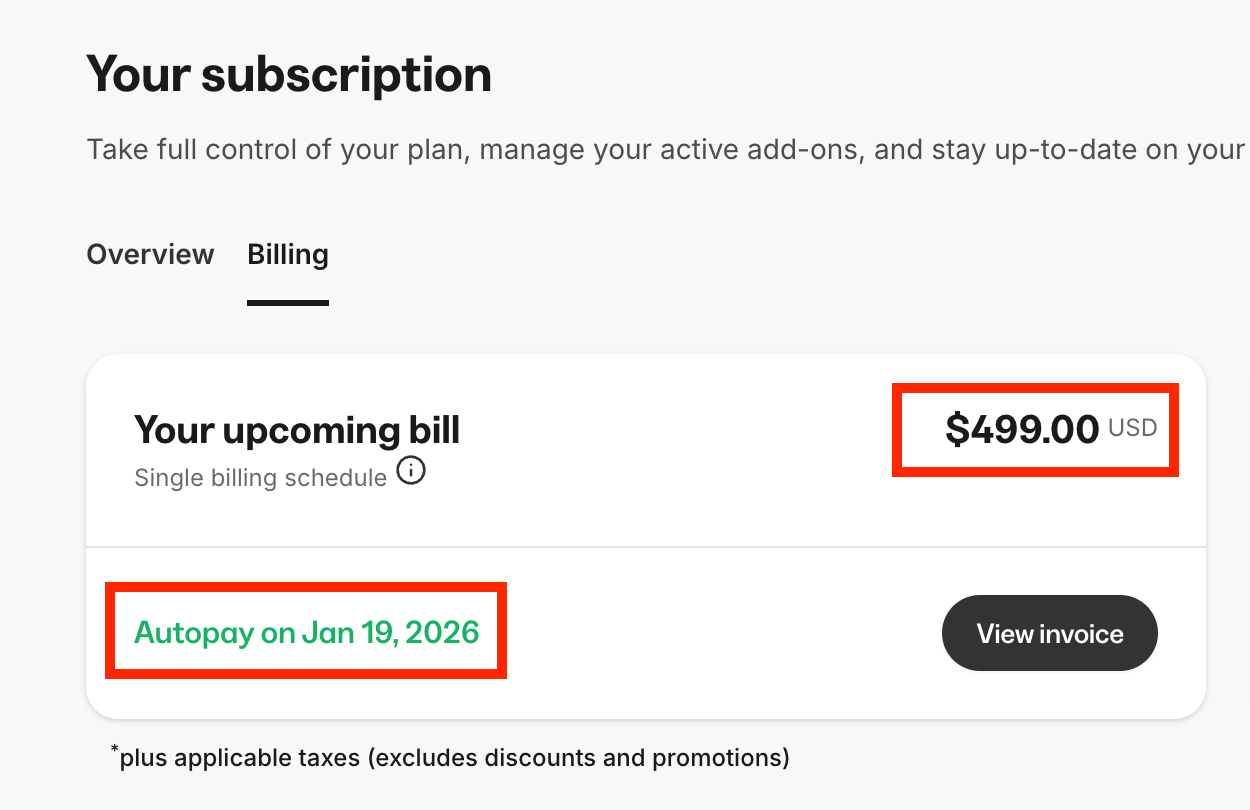
- Under Your upcoming bill, your next billing date and amount is displayed. Click View invoice to open your upcoming invoice:
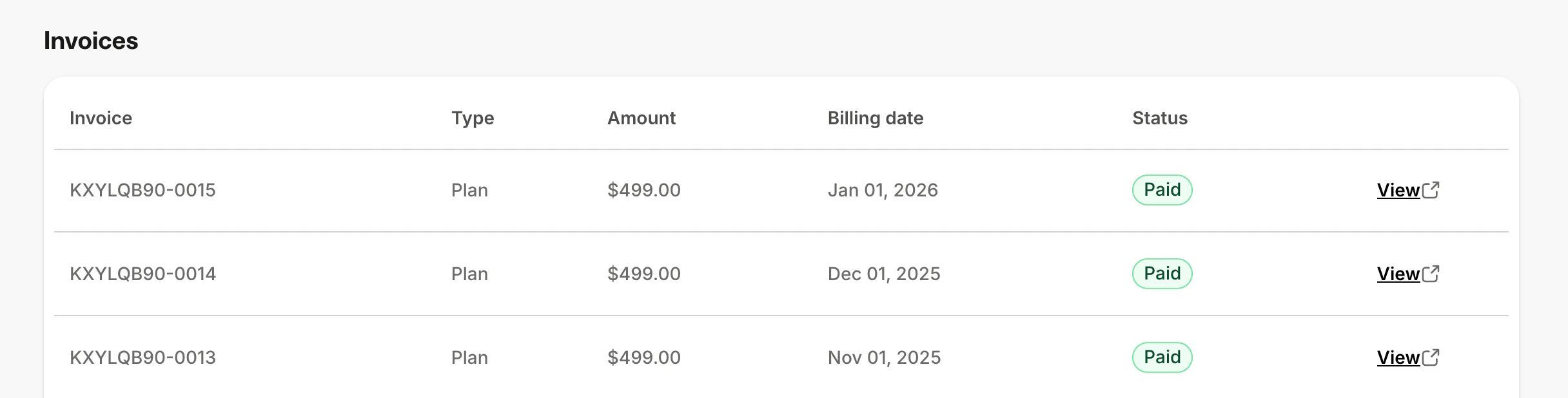
- Under Invoices, you’ll see a list your past Kajabi subscription invoices. Click View to open the invoice in a new window, and save the page to your device if needed:
Note: The Billing tab displays your 10 most recent invoices. If you need access to older invoices, please contact our support team.
Note: Kajabi subscription invoices are sent through Stripe.