Not receiving your verification email?
If you have not received your verification email, try the following:- Check your spam, junk, and promotions folders for an email with the subject line Please verify your email address on Kajabi.
- Go to the Kajabi login page and click Didn’t receive confirmation instructions?
- Enter your email address and click Resend confirmation instructions.
- Open the new email and click Verify your email within 24 hours. The link is single-use and expires after 24 hour
Note: If you still do not receive the verification email after resending, contact Kajabi Support at support@kajabi.com so a team member can investigate your account directly.
FAQs
Does this affect pre-existing accounts?
Email verification affects accounts created after April 1, 2021. It does not affect previously existing accounts.What if I need to change my account email? Does the email need to be verified?
Yes, changing an account email prompts the verification again.Why am I being asked to verify my email on an existing account?
Kajabi may prompt you to verify your email again if your account has been inactive for an extended period. This is separate from the initial verification required for accounts created after April 1, 2021. If you are seeing this prompt and you have not recently changed your account email address, check the following:- Search your inbox for an email with the subject line Please verify your email address on Kajabi.
- Check your spam, junk, and promotions folders if you do not see the email in your inbox.
- If you cannot locate the email, go to the Kajabi login page and click Didn’t receive confirmation instructions?
- Enter your email address and click Resend confirmation instructions.
- Open the email and click Verify your email within 24 hours. The link is single-use and expires after 24 hours.
Note: If you still do not receive the verification email after requesting it, contact Kajabi Support at support@kajabi.com, so a team member can investigate your account directly.
What about additional users - will their email addresses need to be verified?
No, only the account owner needs to verify the account email address.Verify an email address
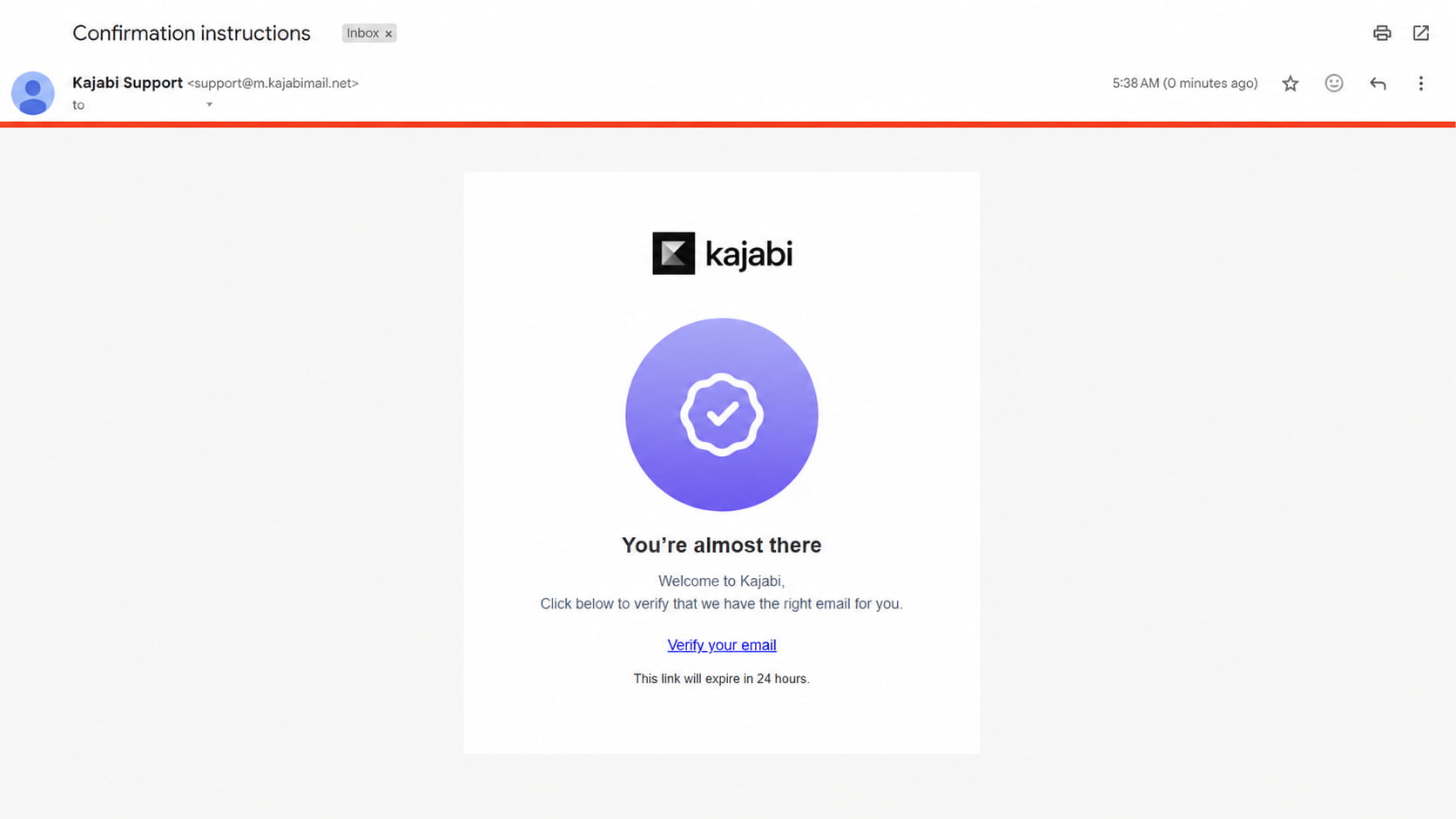
If you are required to verify your email, you will receive an email from Kajabi titled “Confirmation instructions” with a link to verify your email.- Open your email inbox with the email that requires verification.
- Locate and open Confirmation instructions from Kajabi.
- Click Verify your email to complete the verification process.