Learn when customers can use a guest checkout versus a required PayPal account.
PayPal offers guest checkout options for certain payment types, allowing your customers to pay without logging into a PayPal account. This flexibility depends on the type of Offer you’re selling.
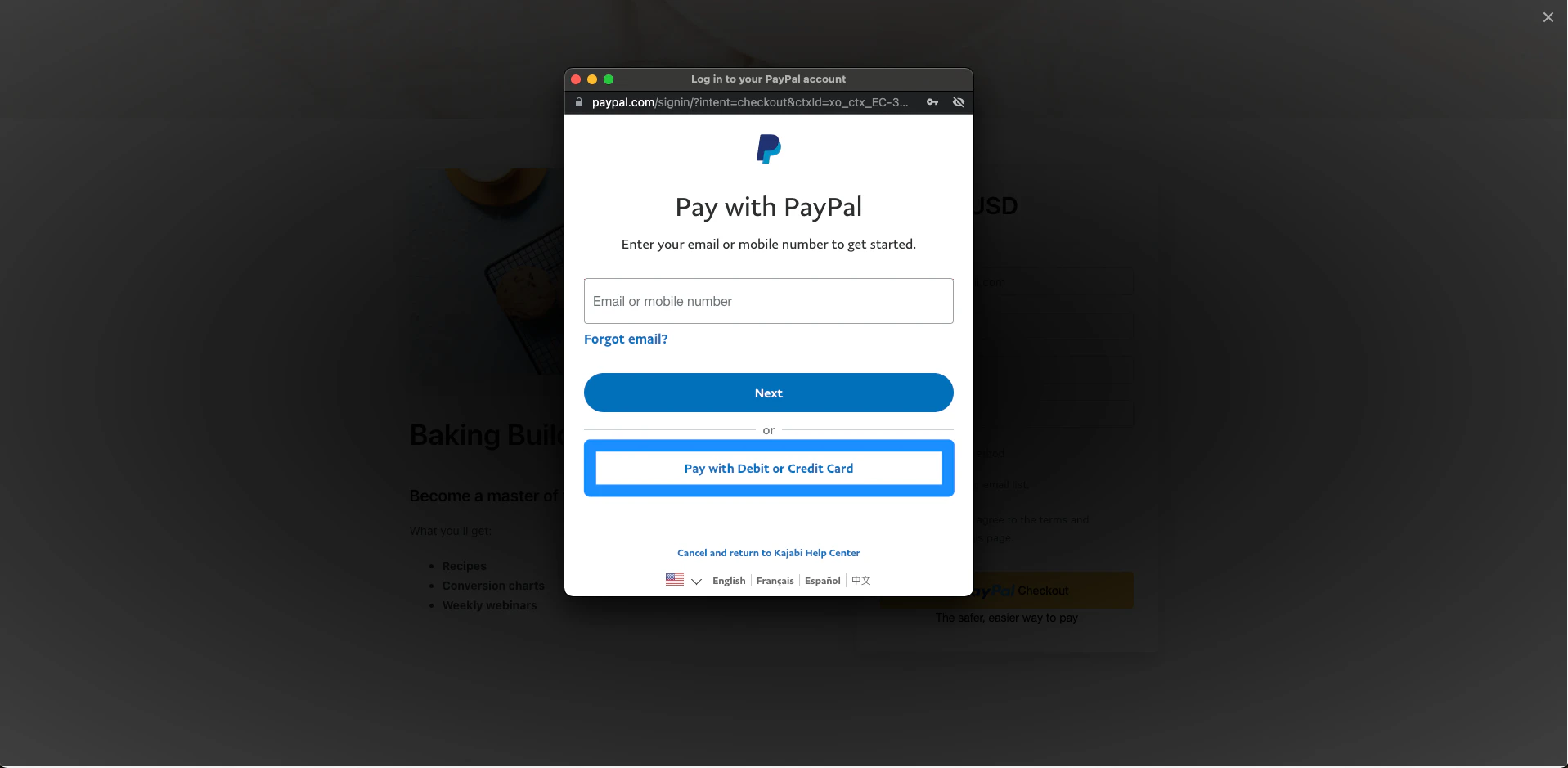
For one-time payment Offers, customers can check out as a guest with PayPal without needing a PayPal account. Customers are redirected to the PayPal checkout window, where they can click Pay with Debit or Credit Card to complete the purchase without a PayPal account.
Note: The guest checkout option in PayPal may vary depending on your country, the customer’s country, and PayPal’s current settings. If the Pay with Debit or Credit Card option is not visible, the customer may need to create or log into a PayPal account to complete the purchase. This is controlled by PayPal and cannot be changed in Kajabi.
No. Whether PayPal guest checkout is available is controlled by PayPal and depends on the type of Offer, the customer’s country, and PayPal’s current settings. This cannot be changed from within Kajabi.
What happens if a customer does not have a PayPal account?
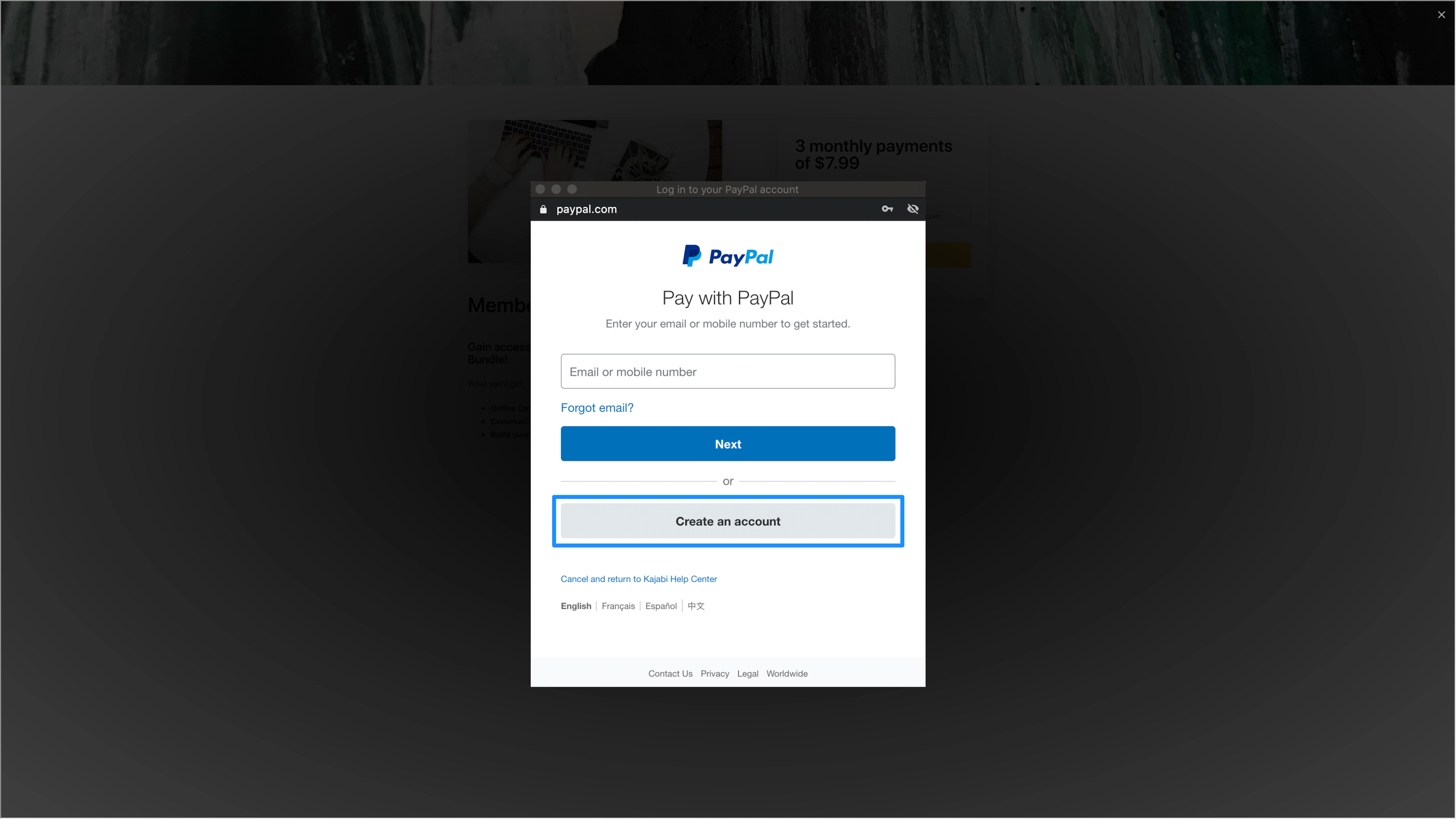
For one-time payment Offers, customers can use the Pay with Debit or Credit Card option to check out as a guest without a PayPal account. For payment plan or subscription Offers, customers must create a PayPal account to complete the purchase since PayPal requires an account to manage recurring billing.
Is PayPal guest checkout available in all countries?
No. PayPal guest checkout availability varies by country and is determined by PayPal. If a customer in a specific country cannot see the guest checkout option, they will need to log into or create a PayPal account to complete their purchase.