

Beta: This feature is currently in Beta. Future entitlements and pricing are subject to change.
How Backstage works
Each Backstage is a private, 1:1 relationship between a Hero and a client. The Hero manages every active client from a single dashboard, assigning tasks, sharing resources, sending messages, and scheduling sessions. The client logs into a personalized space that shows what’s next, what’s outstanding, and how to reach their Hero.Add Backstage to an Offer
Backstage is activated when a Hero attaches it to an Offer. Any client who purchases that Offer automatically receives a Backstage seat.- From the Dashboard, navigate to Sales > Pricing
- Open the Offer you want to attach Backstage to, or create a new Offer
- In the Products in this Offer section, choose to include Backstage
- Save the Offer
Important: When adding Backstage to an Offer, Kajabi informs you on how many remaining Backstage seats you have available. Account users do not require or take up Backstage seats.When a client purchases an Offer that includes Backstage:
- The client receives a welcome message in Backstage from the Hero
- One Backstage seat is counted toward your account’s monthly seat allowance
What clients see in their Backstage
A client logs into Backstage and lands on their personalized dashboard. The first-time experience is designed to make the relationship feel intentional, even before the Hero has assigned anything.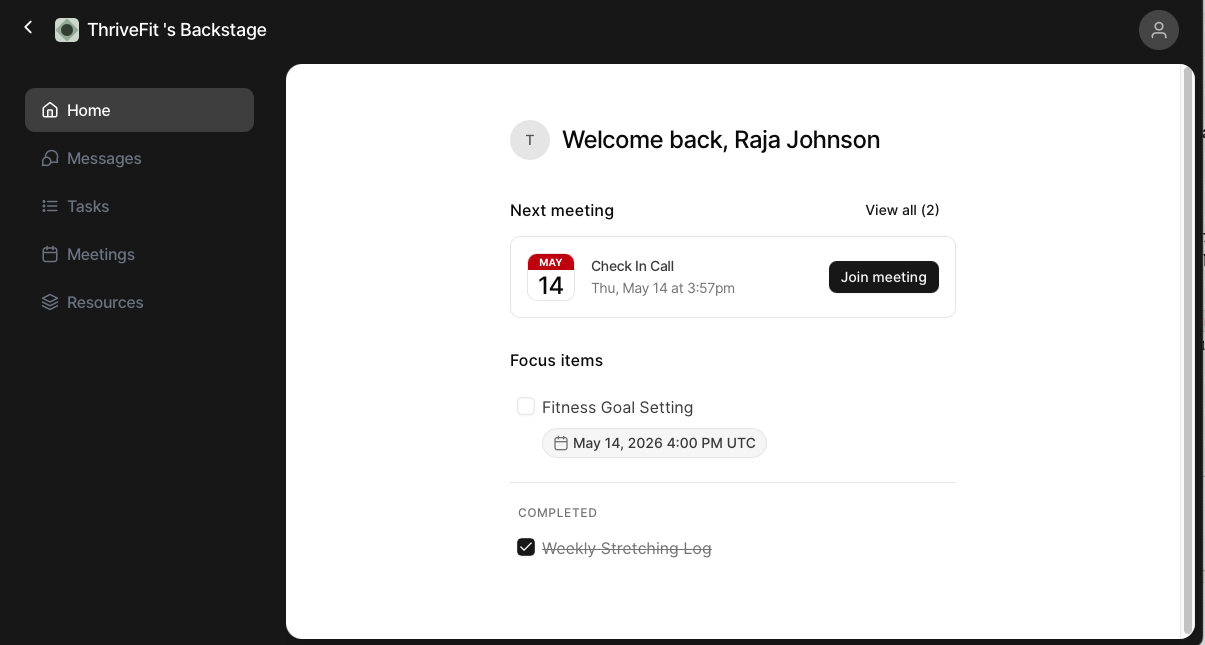
- Read the Hero’s welcome message and current focus
- View and complete assigned tasks
- Open assigned resources like lessons, videos, files, or links from anywhere in the Hero’s library
- Send and receive direct messages, attachments, and voice notes with the Hero
- See upcoming live sessions and past session recordings
- Track their progress across the program
Note: Clients can always browse the full library. Backstage is a personalized lens, not a locked-down replacement.
Manage clients from the Backstage dashboard
The Backstage dashboard is the Hero’s command center for active client relationships. Instead of a static client list, the dashboard surfaces who needs attention, who is thriving, and where to focus next.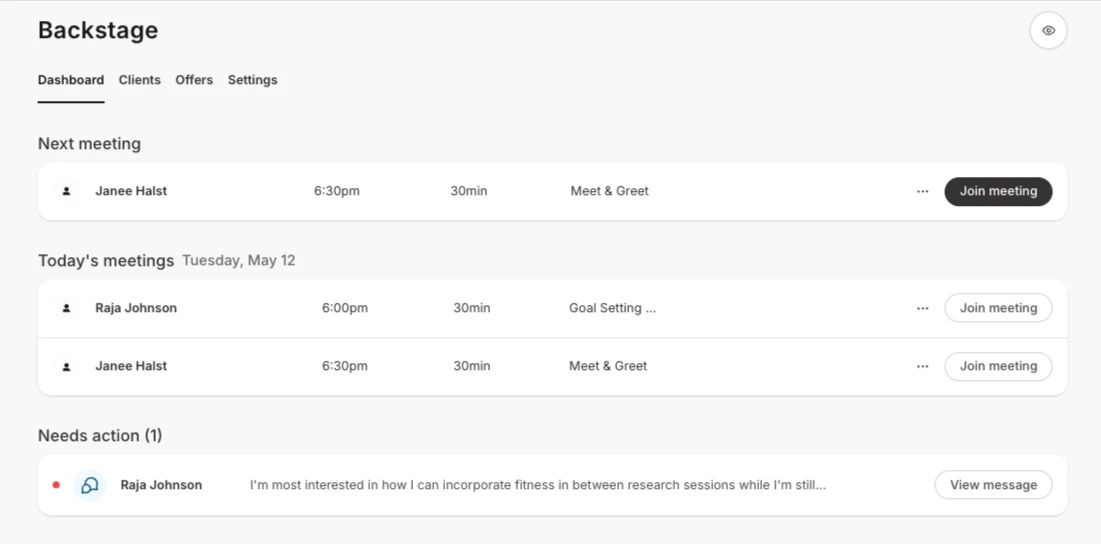
- See engagement signals for each client — last activity, open messages, task completion
- Sort clients by who needs attention first
- Take quick actions — send a message, assign a resource, or schedule a session — without opening the full client view
- Open any client’s Backstage to see everything in one place
Send messages, voice notes, and resources
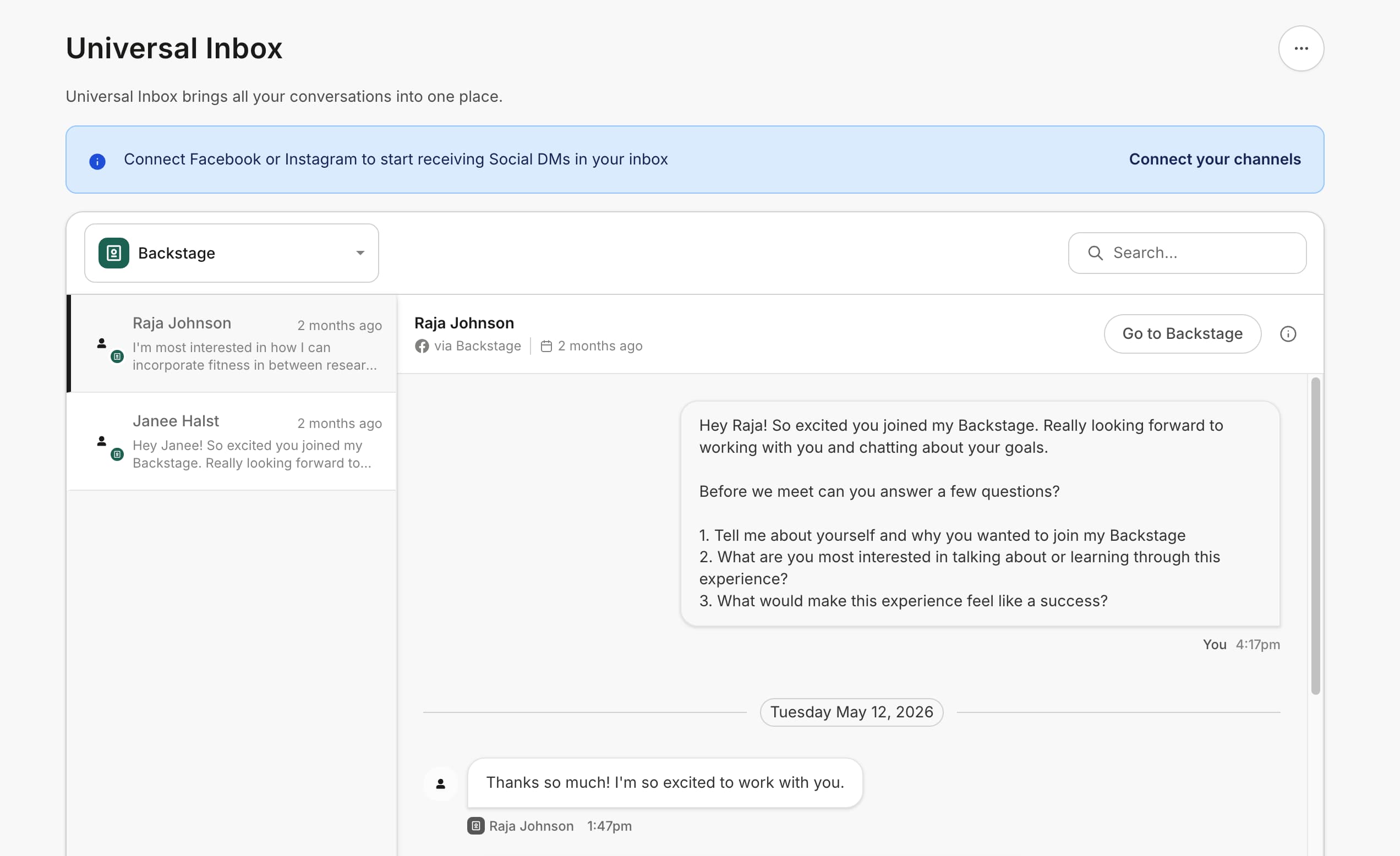
Backstage messaging is a private 1:1 thread between the Hero and the client. It is the primary communication channel inside Backstage.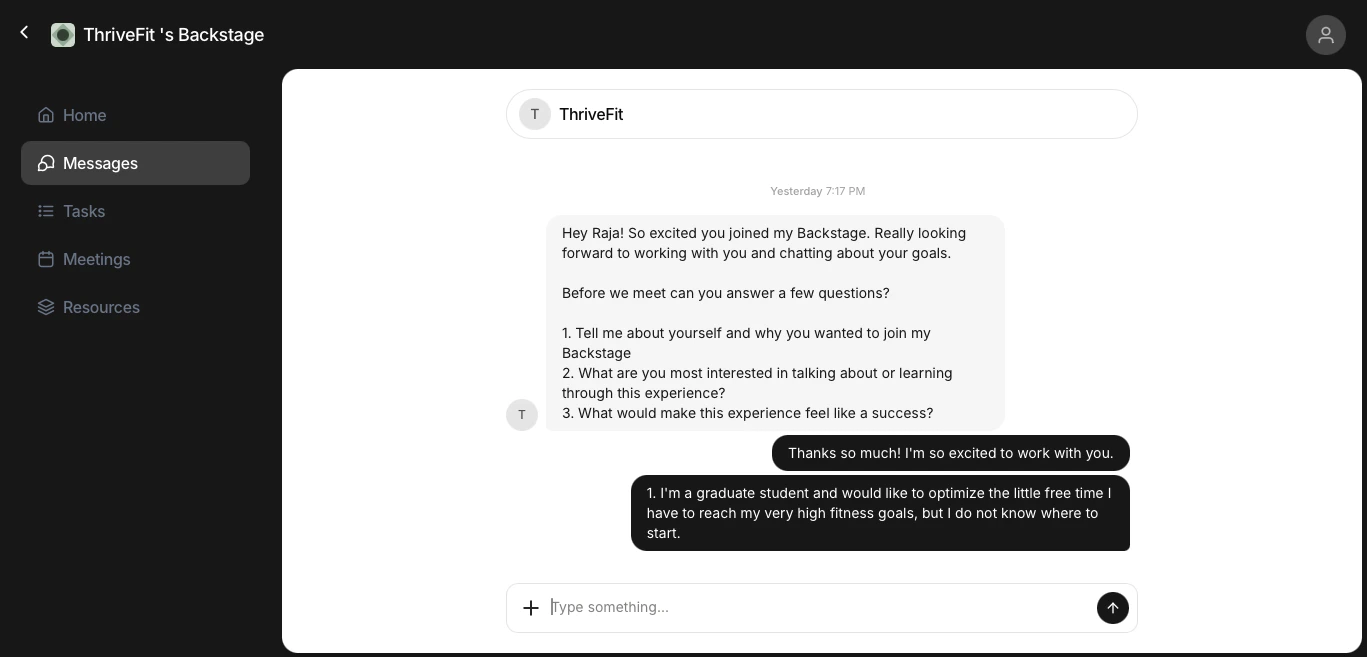
- Text messages with read indicators
- File attachments: images, documents, and other files
- Voice notes: recorded audio messages, with playback speed controls and automatic transcription so messages stay accessible when listening isn’t an option
- Resource links: drop a lesson, module, media library asset, or digital download directly into the conversation
Assign tasks and resources
Tasks and resources turn Backstage from a chat thread into a guided, accountable program. Heroes assign a task to a client with a title, and optional due date. Clients check the task off as they complete it. Tasks live alongside messages so Heroes can turn a conversation into a follow-up assignment without leaving the thread.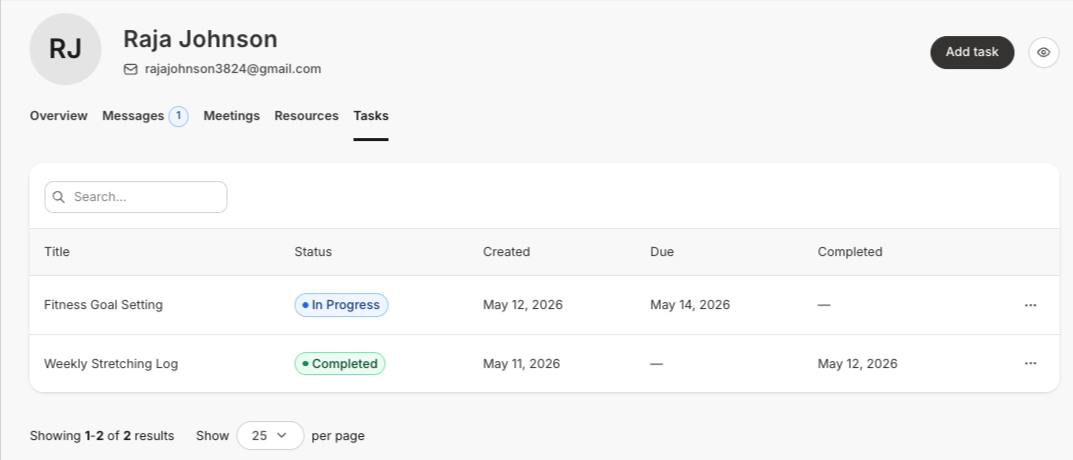
- Lessons from any existing Course, even if the client has not already purchased/been granted access to the Course.
- Entire module from any existing Course
- Digital downloads
- Any file from the media library
- External links
Schedule and run live sessions
Backstage live sessions integrate Hero-to-client meetings directly into the client’s space. From the Hero side, sessions can be scheduled, run, and reviewed inside Backstage.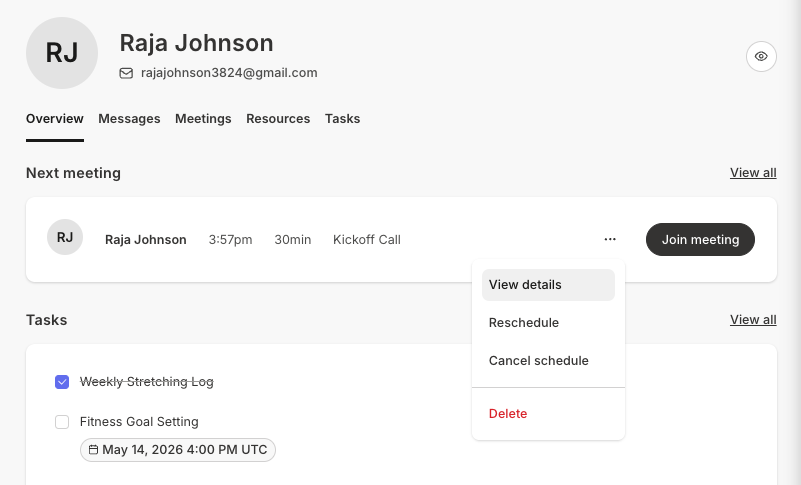
- See upcoming sessions on their dashboard
- Schedule sessions
- Join sessions when the time comes
- Watch recordings of past sessions
- Download transcriptions and meeting summaries that are automatically generated after the meeting ends