

What are website settings?
Website settings help you streamline the design process for your website pages so you can focus on the design aspects that matter to you. Configuring your website settings will carry your settings over into all of your website pages to easily create a cohesive, branded experience for your site. Your website settings include design features ranging from your favicon and page fonts to your background media and color: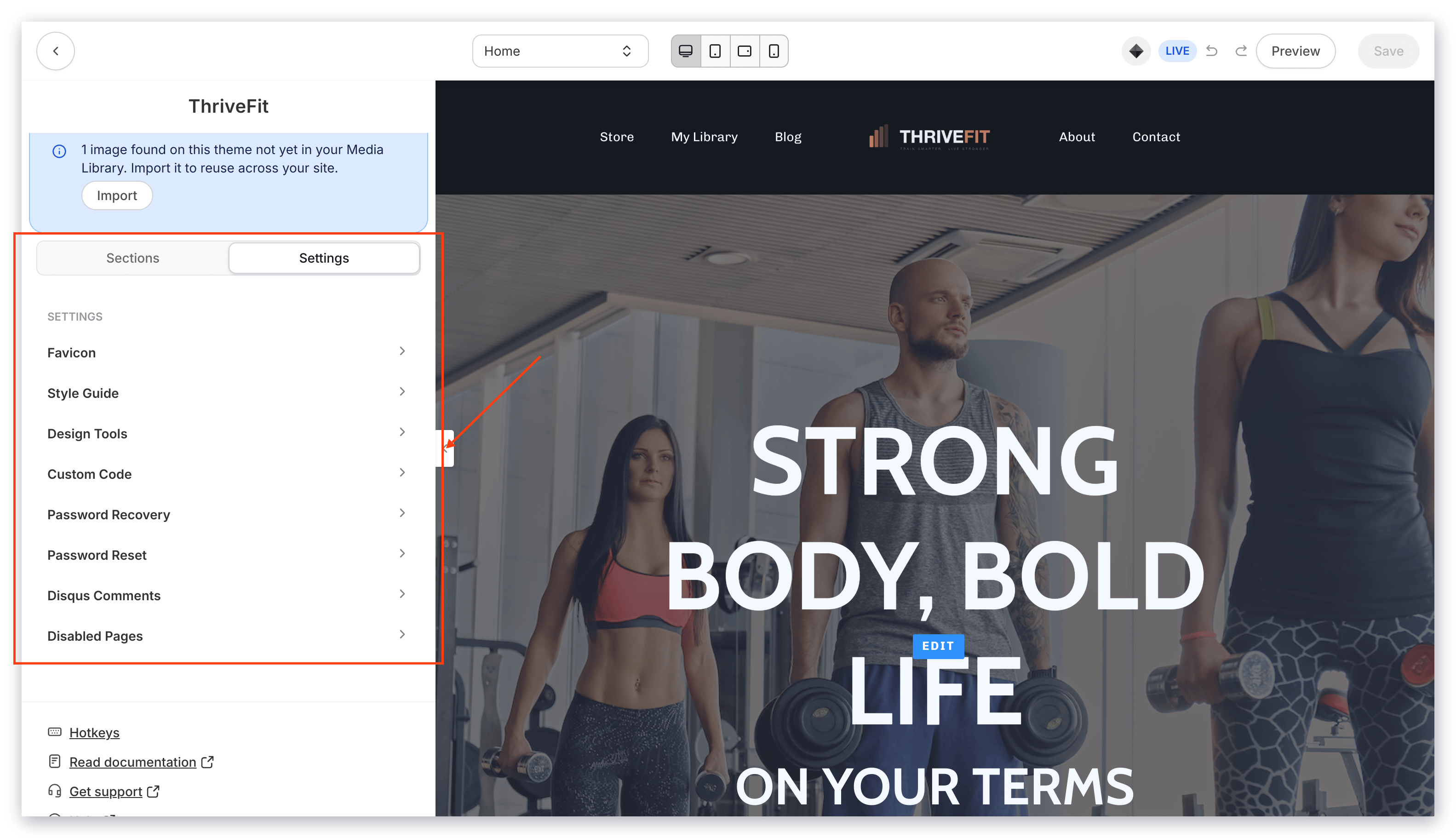
Note: These settings apply to website pages only and are not available for Landing Pages, which are built for individual use and have their own separate settings. To set global branding settings across pages, products, and emails, learn how to customize your global branding settings.
Defining website settings
Favicon: A small icon on a website tab or window of a web browser. With the style guide settings, you can upload your favicon once to display for all of your website pages built with the website builder. Learn more Style Guide: Contains the bulk of your design settings. This includes the general appearance, primary color, button appearance, fonts and font sizes, and the colors used for error messages. Learn more Design Tools: Includes the grid and guide to help you take control of the build and structure of your page. Learn more Custom Code: Allows you to insert custom HTML, CSS, or JavaScript into your page. Although most can achieve unique designs using just the Custom Code Block, you may desire more advanced functionality or appearances that can only be achieved with the Custom Code Page Setting. Learn more Password Recovery: Customizes the language displayed after a user clicks the Forgot password button on the Login Page. Learn more Password Reset: Customizes the language displayed on the password reset page after a user clicks the reset link in their email. Learn more Disqus Comments: A third-party comment hosting service for moderating comments and gauging engagement on your website pages. Learn more Disabled Pages: Allows you to disable or remove the Customer Directory, Announcements, About, and Contact pages from your website. Learn moreHow to access website settings
These website settings are only available with your website pages (i.e. not Landing pages). If you wish to use these settings, create custom website pages with the website builder. Learn more After installing the website builder, you can adjust the settings for your website in any website page.To locate your website settings
- From the Dashboard, click Website.
- Click Pages.
- Select any page from your Website pages list.
- Click Customize or click the Page Title.
- In the sidebar, click Settings to access your website page settings.