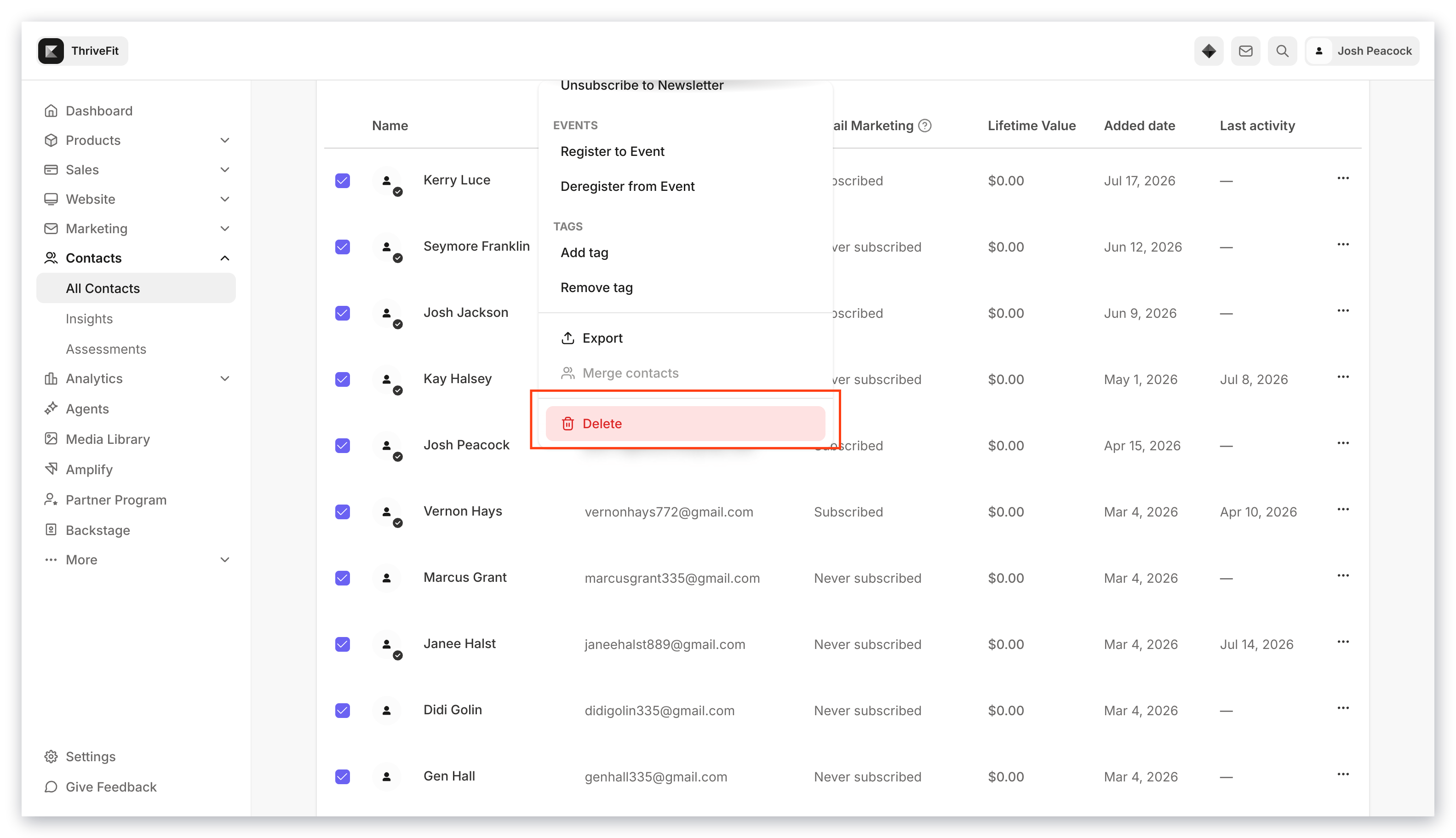
Perform a bulk action
To toggle the bulk action options in the Contacts tab:- Open the Contacts tab from the Dashboard.
- Filter your contacts to narrow your List or select custom segments.
- Check Select All.
- Open the Actions dropdown menu.
- Select the action you wish to apply.
- Follow the prompts.
- Click Submit:
Offers
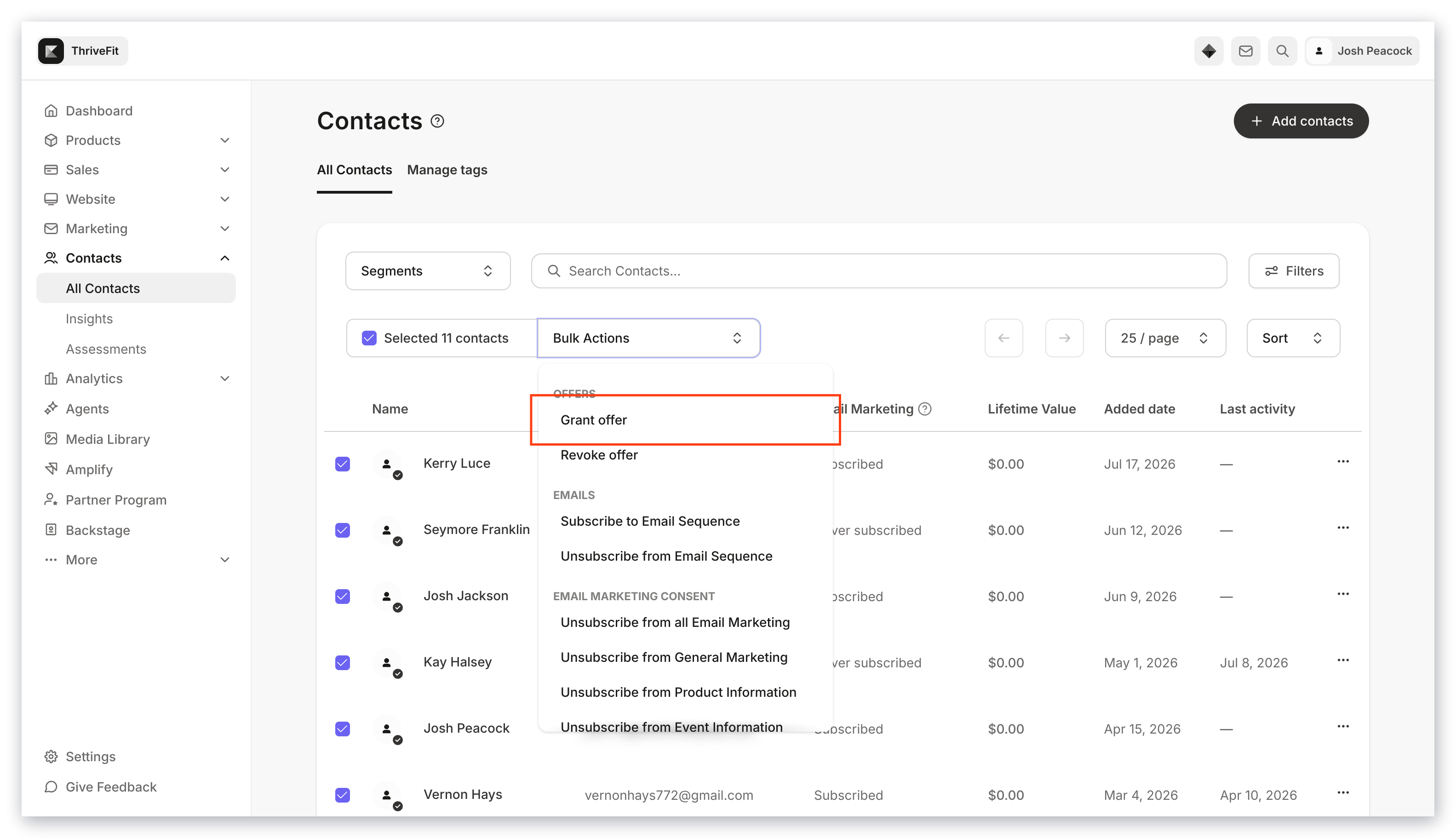
Email Sequences
- Subscribe to or Unsubscribe from an Email Sequence
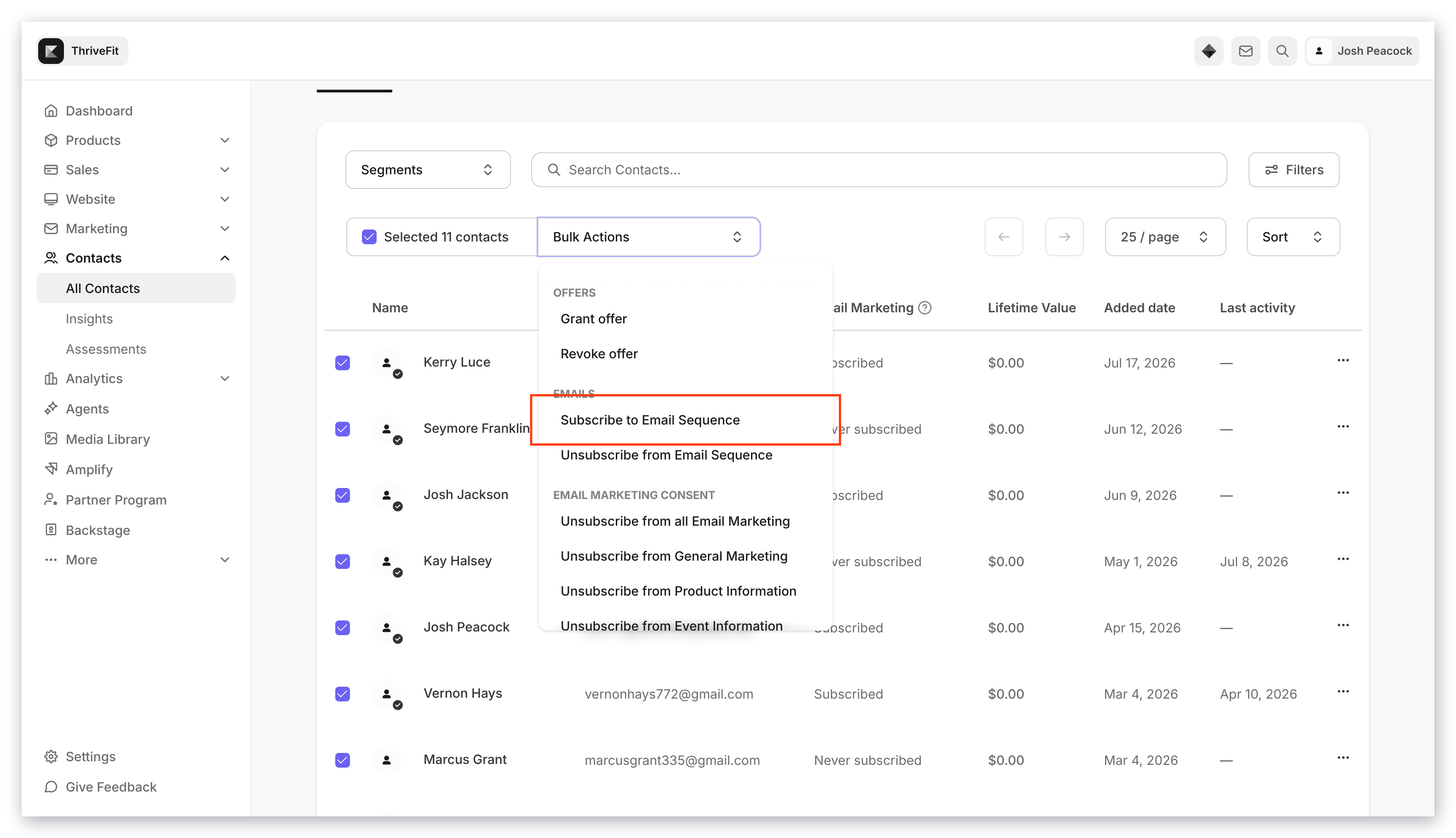
Events
- Register to or Deregister from an Event
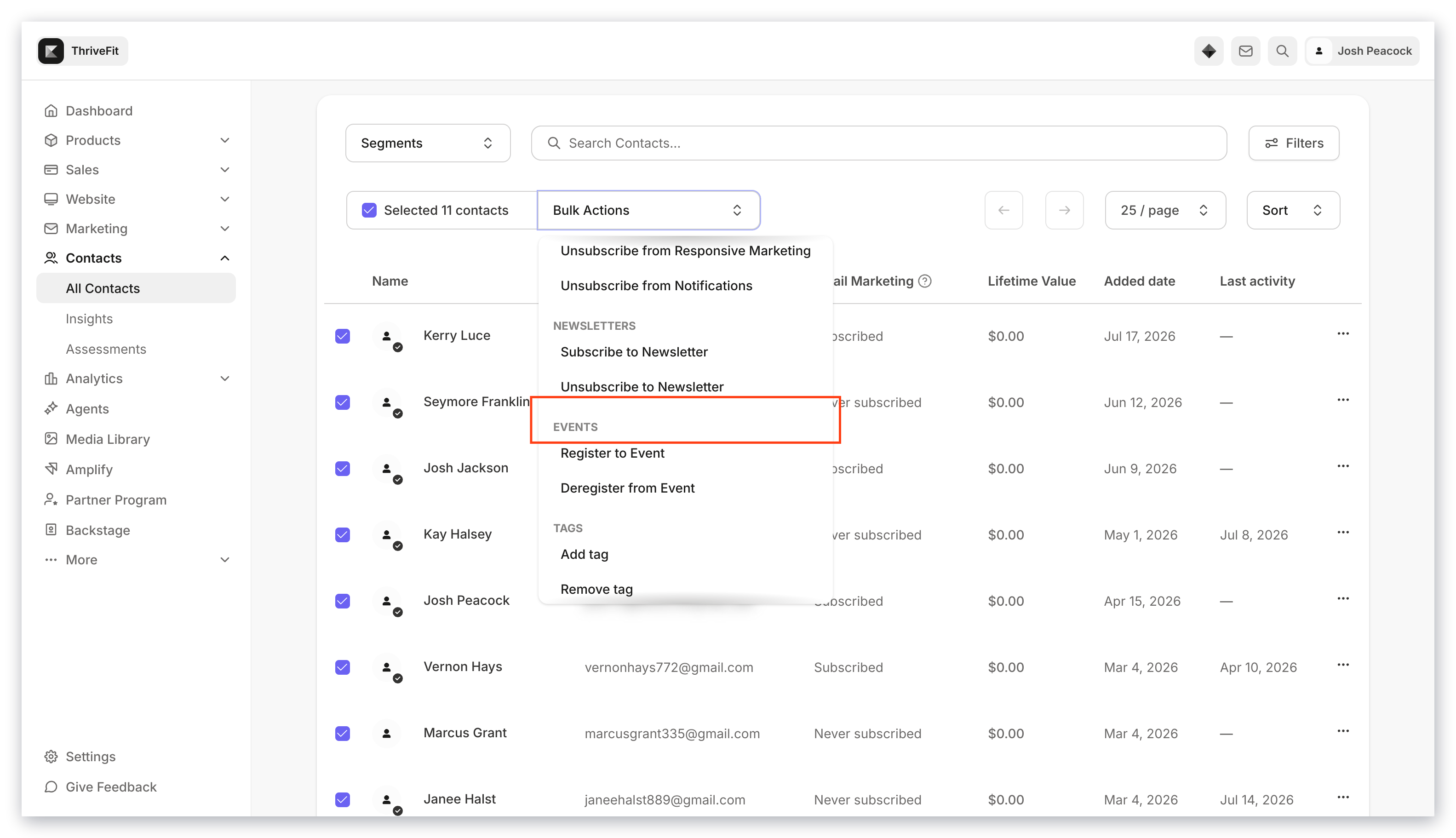
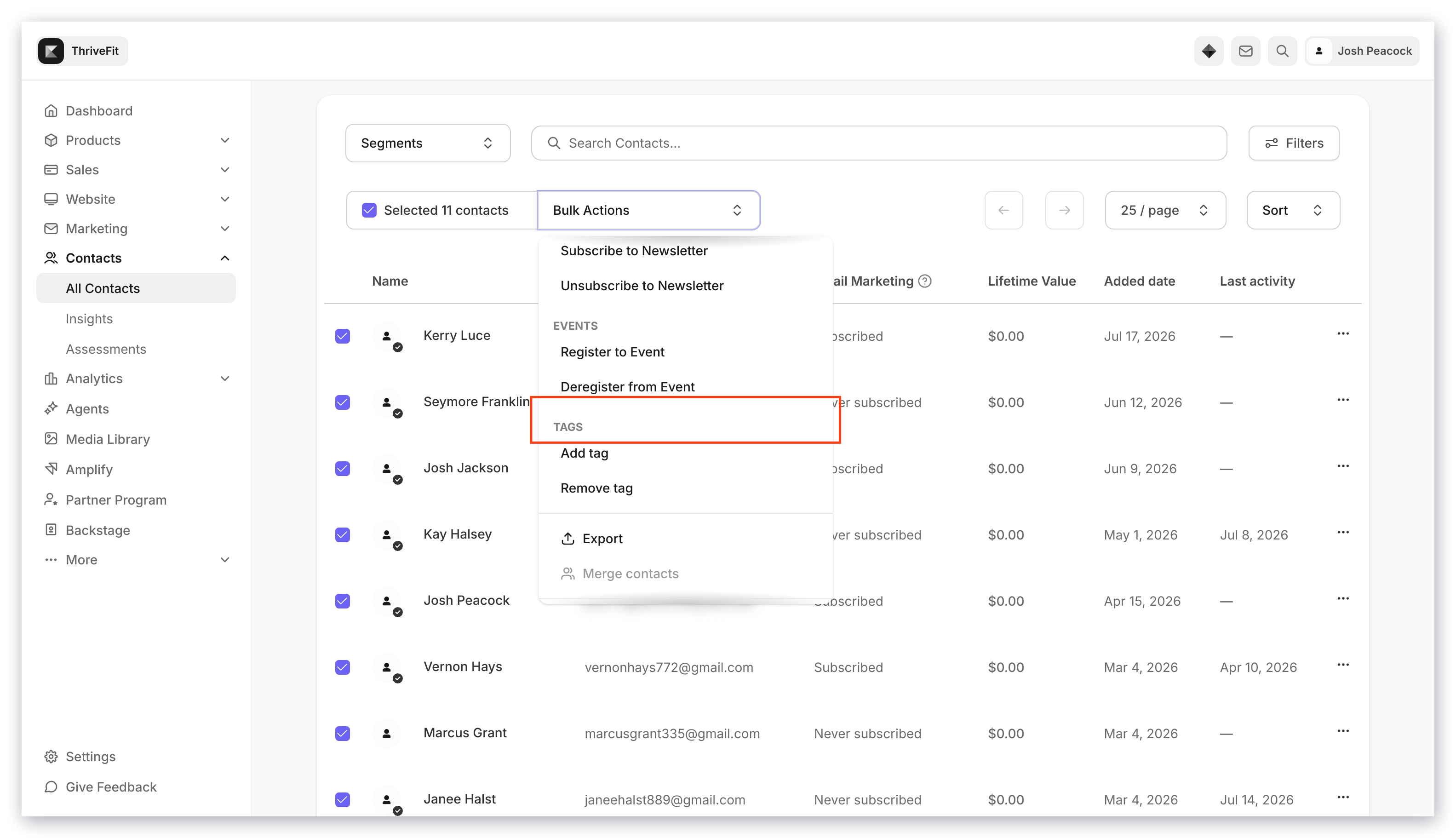
Tags
- Add or remove Tags
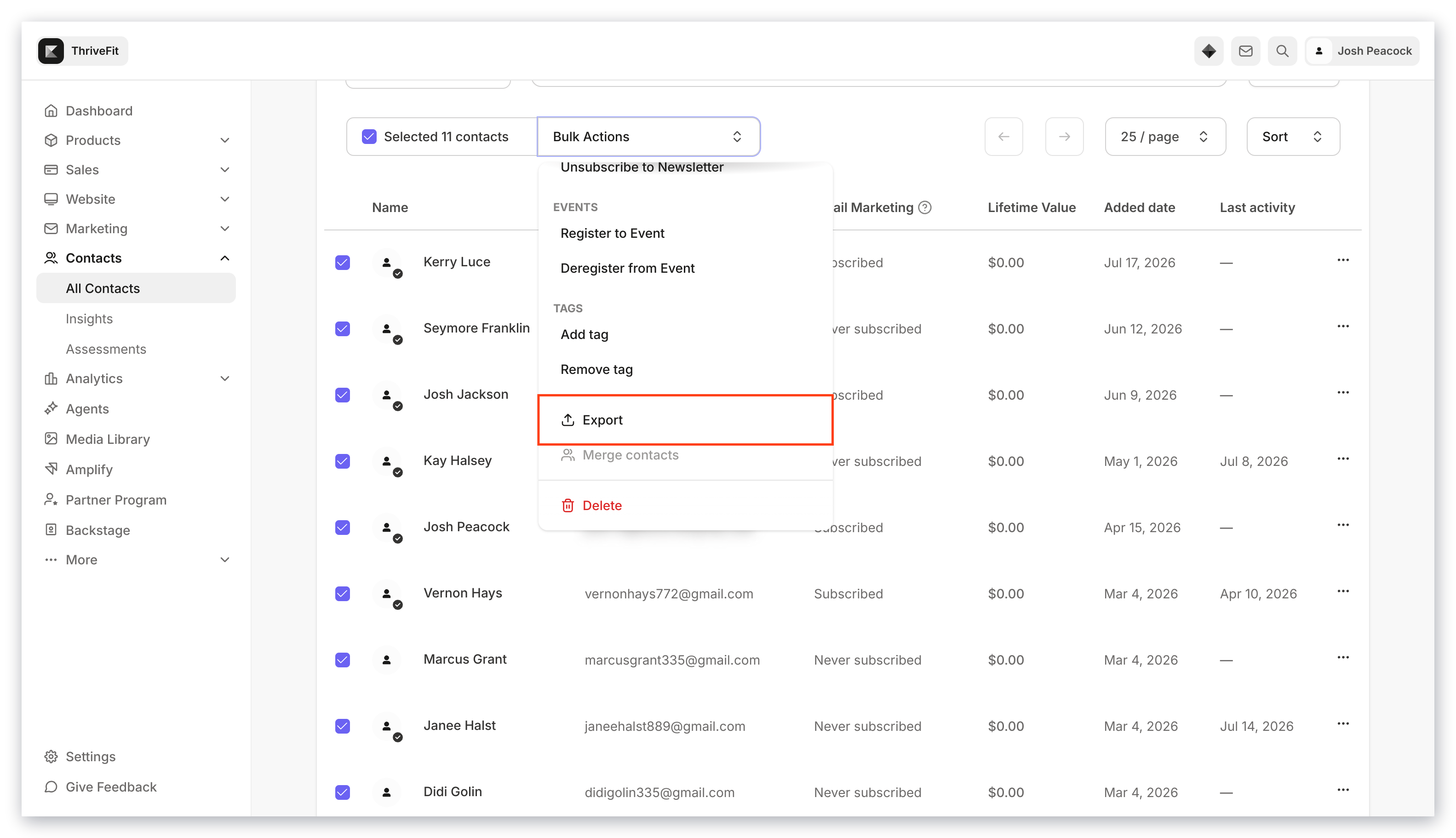
Export
- Export a CSV of your entire list or a segmented selection
Unsubscribe
- Unsubscribe contacts from all email marketing.
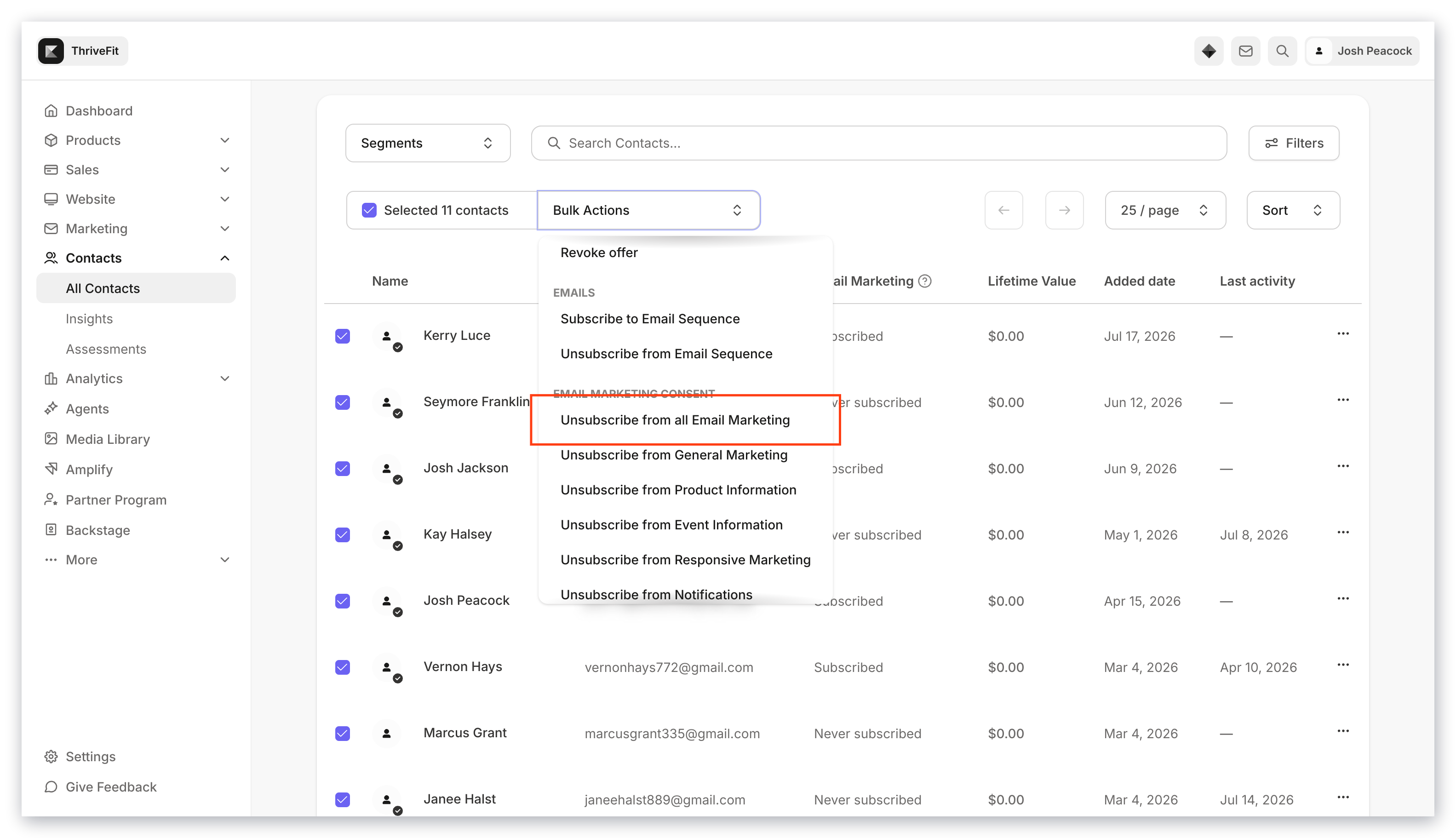
Note: Bulk unsubscribes and bulk deletions export the list to the email address associated with your Kajabi account to recover your unsubscribed or deleted contacts if needed. Be sure to download the CSV within three days of unsubscribing or deleting, after which the link will expire.
Delete
- Permanently remove contacts
- 24-hour reversal link. Right after the delete runs, every Owner, Admin, and Sub-Owner on the account will receive an email with a one-click link that restores the entire batch. The link expires 24 hours after the deletion. (This notification is rolling out to all Kajabi accounts in May 2026; once it’s active on your account, the email will arrive automatically.)
- 30-day soft-delete window. For 30 days after deletion, contacts are soft-deleted and can be restored by Kajabi Support. After 30 days they are permanently removed and cannot be recovered.
Who can bulk delete, and who gets notified
Only users with the Owner, Admin, or Sub-Owner role can bulk delete contacts. Assistants and Support Specialists won’t see the Delete option in the bulk actions menu. See Account users for the full role permissions matrix. When a bulk deletion runs, every Owner, Admin, and Sub-Owner on the account will be automatically emailed.- The email shows who ran the deletion, how many contacts were affected, the site it ran on, and when it happened.
- It includes a “Restore deleted contacts” button that reverses the entire batch in one click. The button works for 24 hours.
- If someone other than the original deleter uses the restore link, the original deleter is emailed to let them know the action was reversed.
- Suspended users are not emailed.